Camel Dashboard Console
This operator can work standalone and you can use the data exposed in the CamelApp custom resource accordingly. However it has a great fit with the Camel Dashboard Console, which is a visual representation of the services exposed by the operator.
Camel Dashboard Console dependencies matrix
The Camel Dashboard Console is a plugin extension of OpenShift Console exposing the data from the Camel Dashboard Operator.
Below you can find the compatibility list for its dependencies:
| Camel Dashboard Console | Openshift | Camel Dashboard Operator |
|---|---|---|
| next (0.3.3) | Openshift 4.20+ | 0.1.0 |
| 0.3.2 | Openshift 4.20+ | 0.1.0 |
| 0.2.2 | Openshift 4.19 | 0.1.0 |
| 0.1.0 | Openshift 4.18 | 0.0.1 |
NOTE: the old version 0.1.0 uses the old App custom resource.
WARNING: If you installed the camel-dashboard-openshift-all helm chart you need to prefix any configuration in helm chart values by
camel-dashboard-console.
Installing the Helm Chart
A Helm chart is available to deploy the console plugin to an OpenShift environment.
The following Helm parameters are required:
plugin.image: The location of the image containing the console plugin that was previously pushed
Additional parameters can be specified if desired. Consult the chart values file for the full set of supported parameters.
First, add the chart repository to the local helm configuration (you might have already done it if you installed the Camel Dashboard Operator):
| |
Install Camel Dashboard using the helm install command:
| |
NOTE: the installation procedure is still in alpha phase. Verify the latest release and change the version (ie,
0.3.2) from the previous script accordingly.
Overview
Once installed, the Camel Dashboard Console features should be accessible in the OpenShift Console.
- The Camel Applications page displays the list of your deployed Camel Applications. It is available as a
Workloadstab on theadminview and as a navigation tab on thedeveloperview.
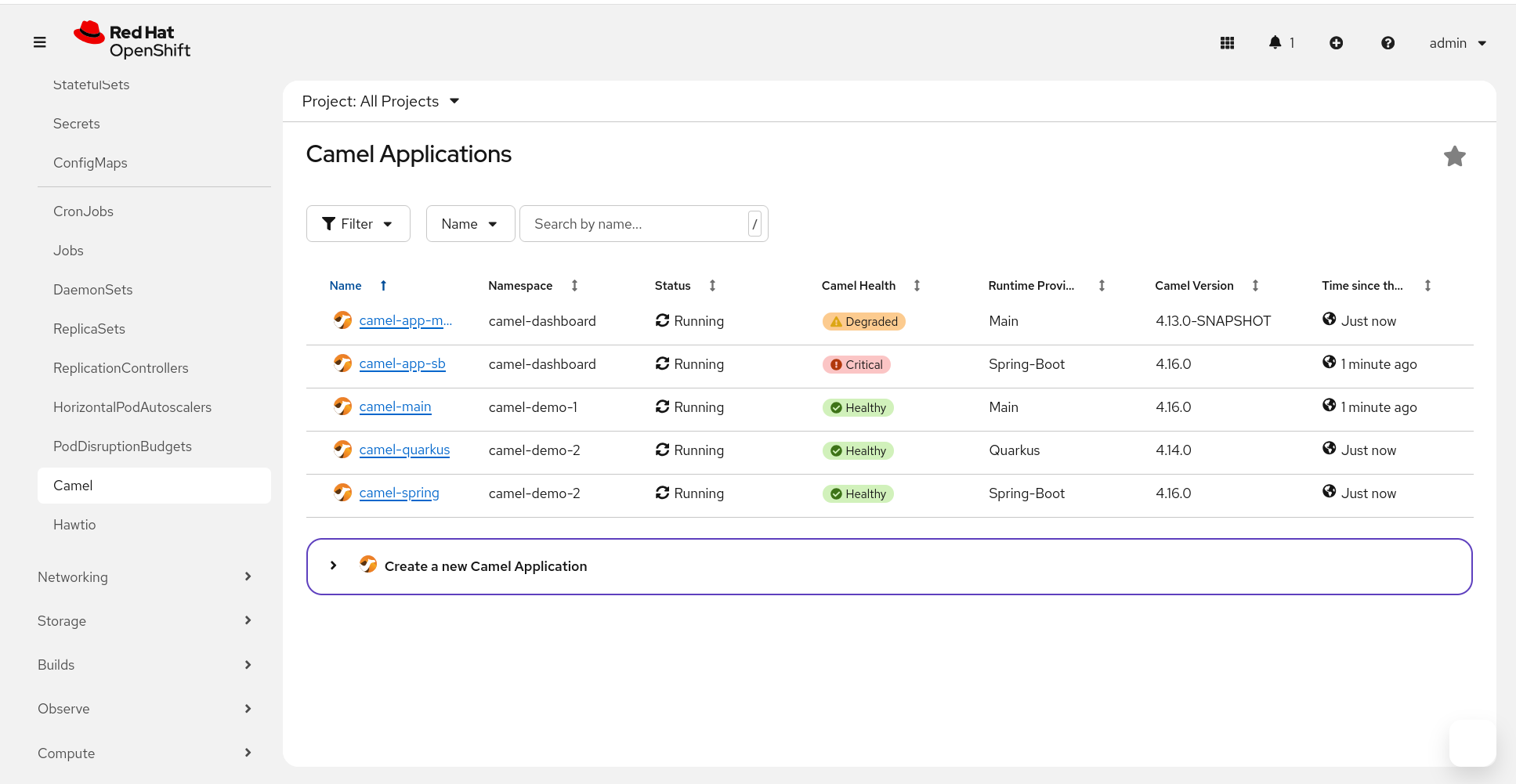
Camel Applications
The Camel Application page will show informations and metrics for the chose deployed Camel Application
- informations from the Observability Services
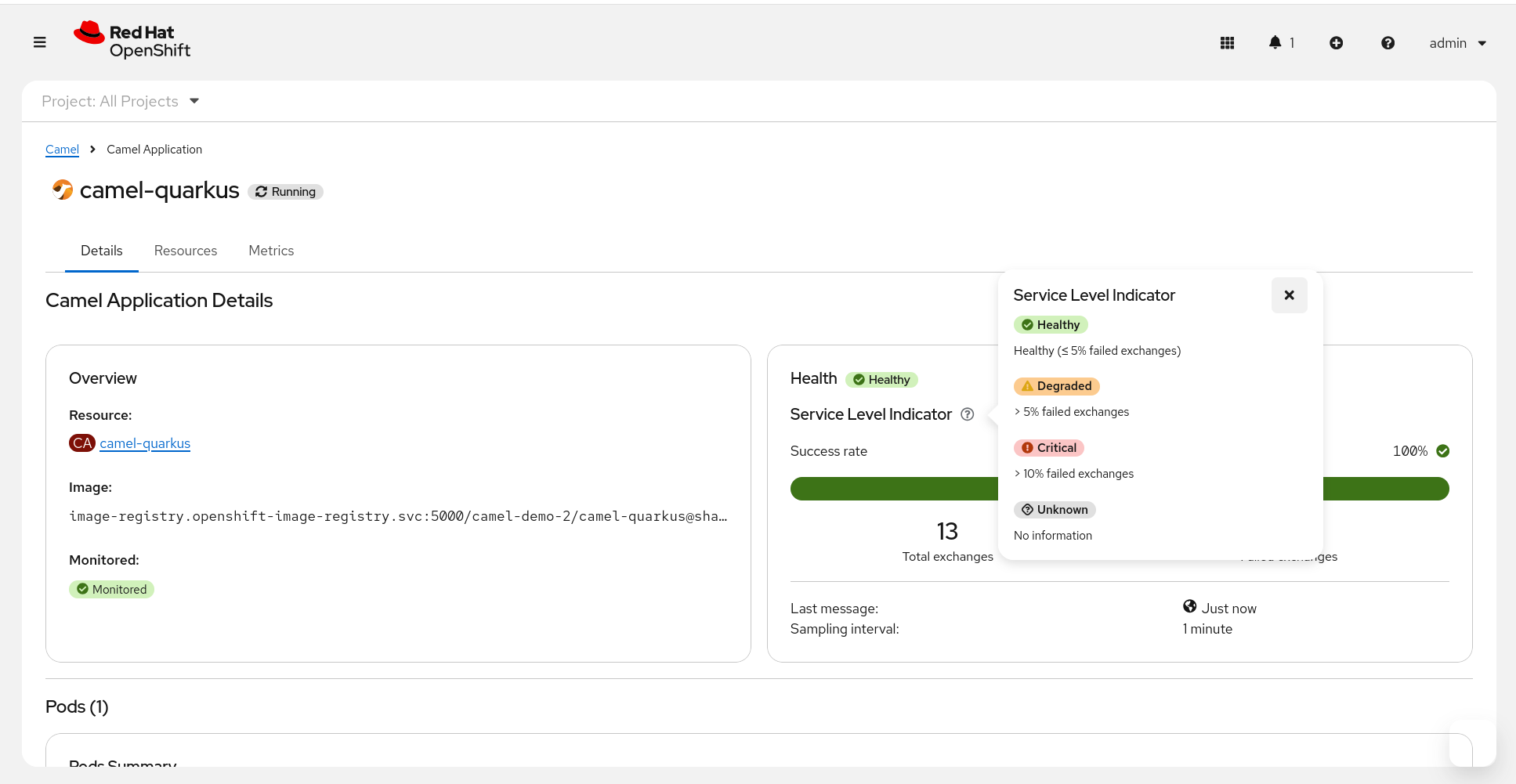
Camel Application > Details
- Kubernetes native resources linked to the deployment, with some acces to logs, hawtio console, etc
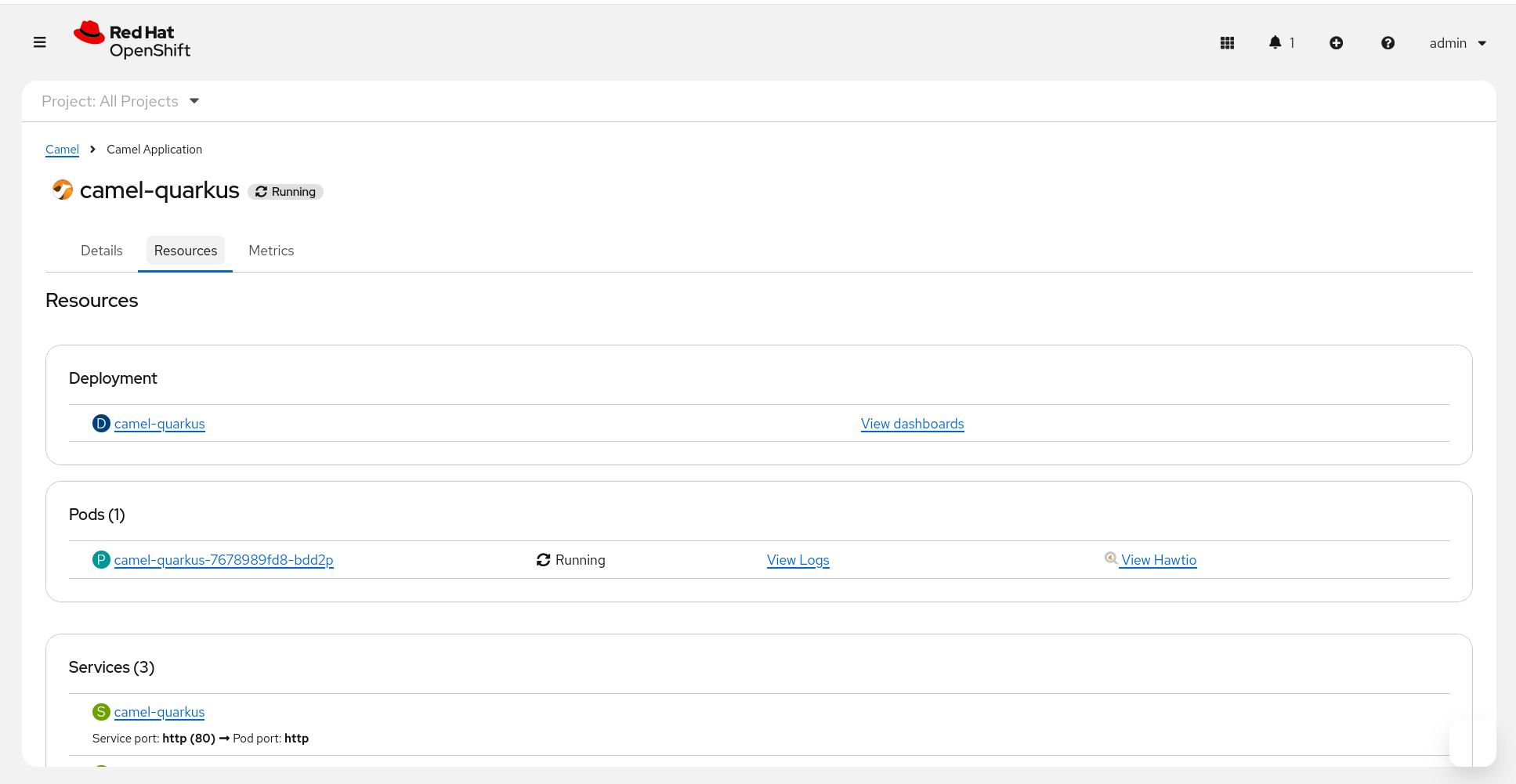
Camel Application > Resources
- Prometheus metrics on resources utilization for the deployment
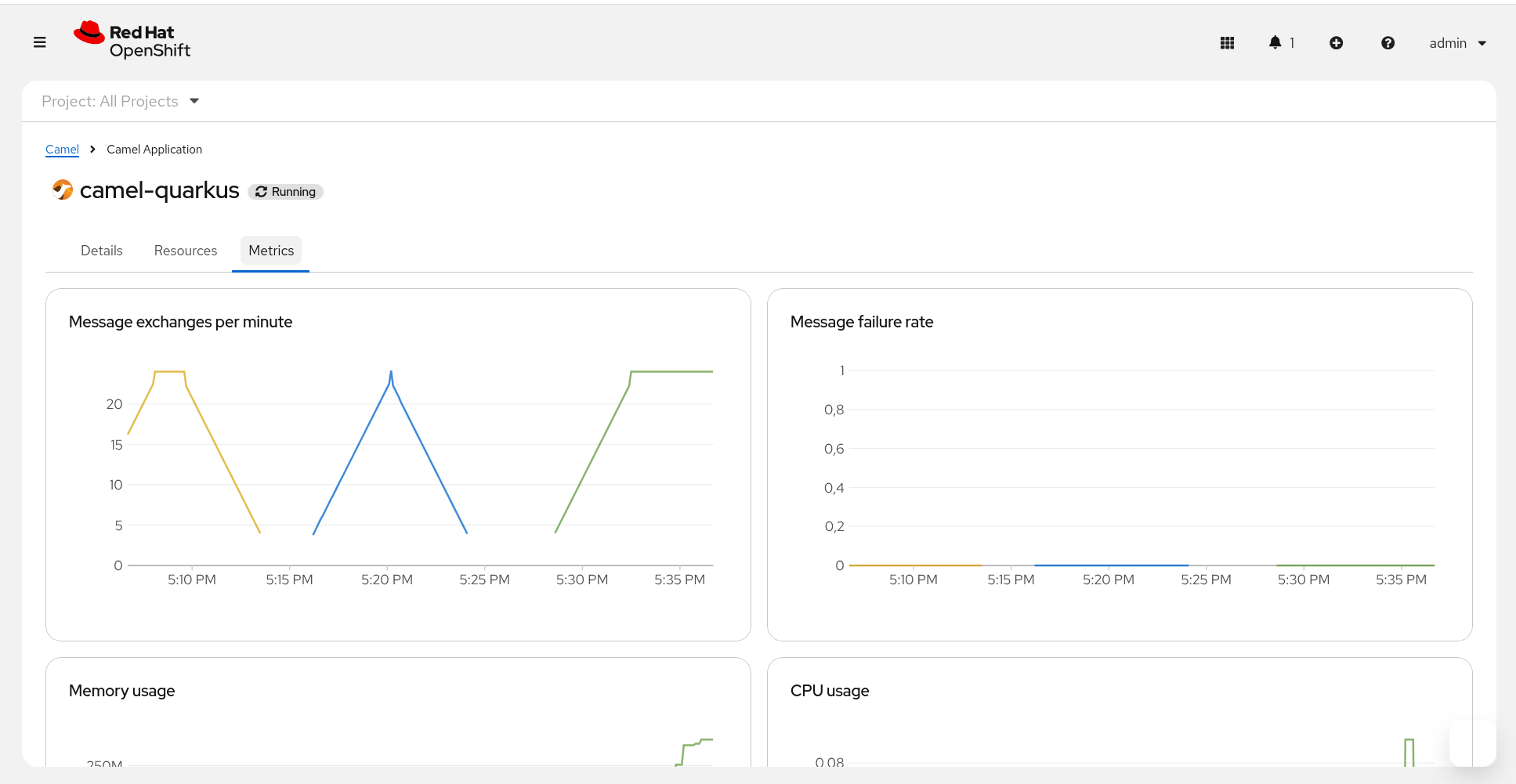
Camel Application > Metrics